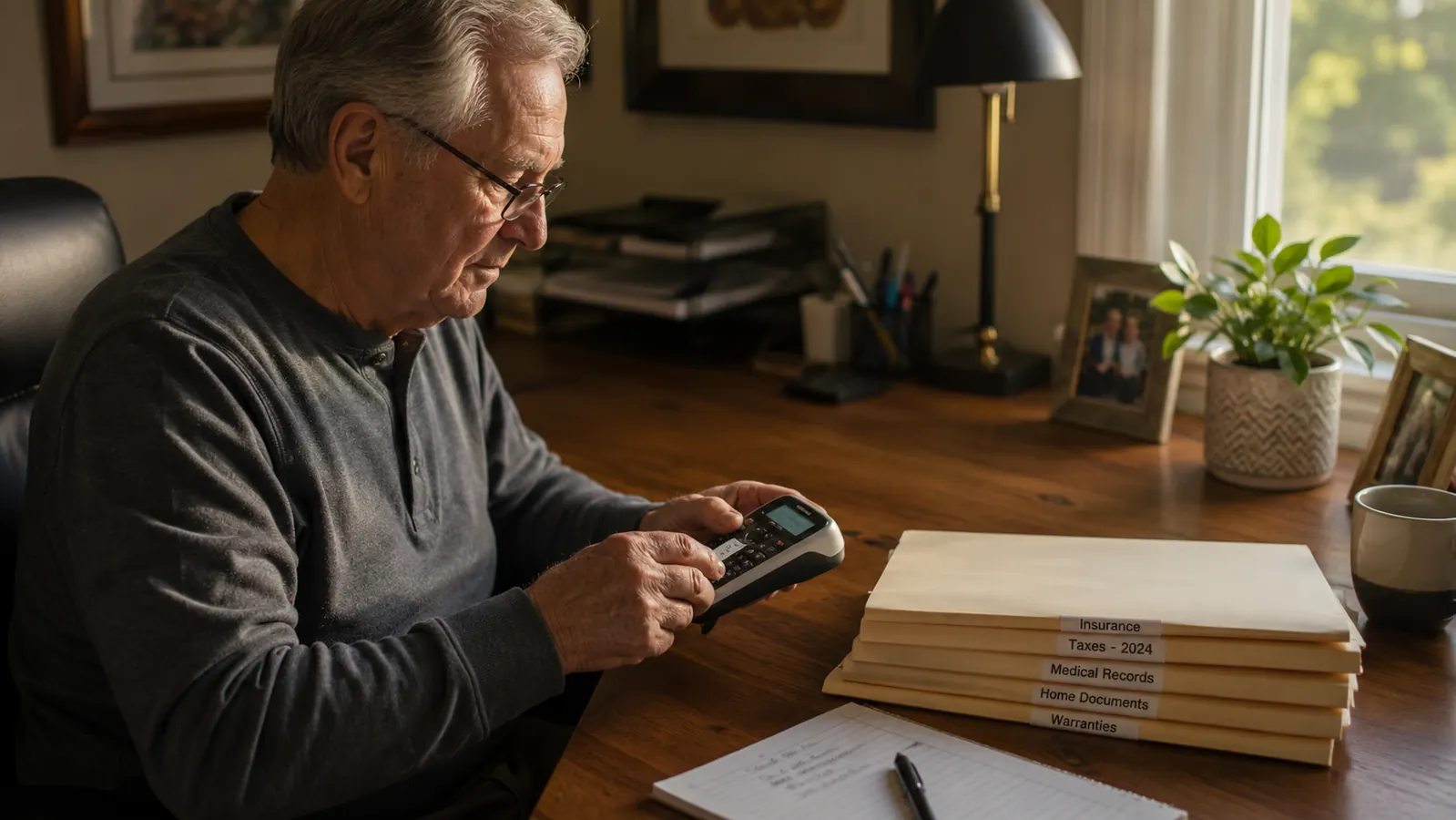
Before I bought mine, I read something like thirty reviews online, and almost every one said the same rosy thing: buy it, it changes everything, you'll wonder how you lived without it. Nobody mentioned that the keyboard on the handheld version is arranged alphabetically instead of the QWERTY layout you're used to typing on, which means your fingers go hunting for the first few weeks. Nobody mentioned the tape cartridges are their own proprietary size that doesn't fit other machines. I bought the DYMO LetraTag 100H a little over a year ago, right after I retired from teaching third grade and started doing part time bookkeeping for two small businesses out of my spare bedroom. I wanted my new home office to feel organized from day one instead of slowly burying itself in loose folders the way my classroom desk always managed to.
A year in, I still reach for it most weeks, and I'd buy the same DYMO machine again if this one broke tomorrow. But I want to give you the honest version, the one with the annoying parts left in, not the version that reads like it was written to sell you something.
The Quick Verdict
A genuinely useful little machine once you push past a short learning curve, held back half a star by an odd keyboard layout and tape that costs more than you'd expect.
Amazon Check Today's Price →Tired of Squinting at Handwritten Folder Tabs?
The DYMO LetraTag prints a clean, legible label in about ten seconds, no handwriting required. See today's price on Amazon and decide if it earns a spot on your desk.
Amazon Check Today's Price on Amazon →How I Actually Use Mine, Not How the Box Says To
The box shows someone labeling a neat row of hanging file folders in a bright, empty office. My reality looked different. My spare bedroom office had a mismatched filing cabinet from my classroom days, a plastic bin of old tax paperwork, and a drawer of cables I hadn't touched since my husband Gary retired his old desktop computer. The DYMO label maker's first real job wasn't files at all. It was that cable drawer, tagging each cord with what it actually plugged into so I'd stop unplugging the router by accident.
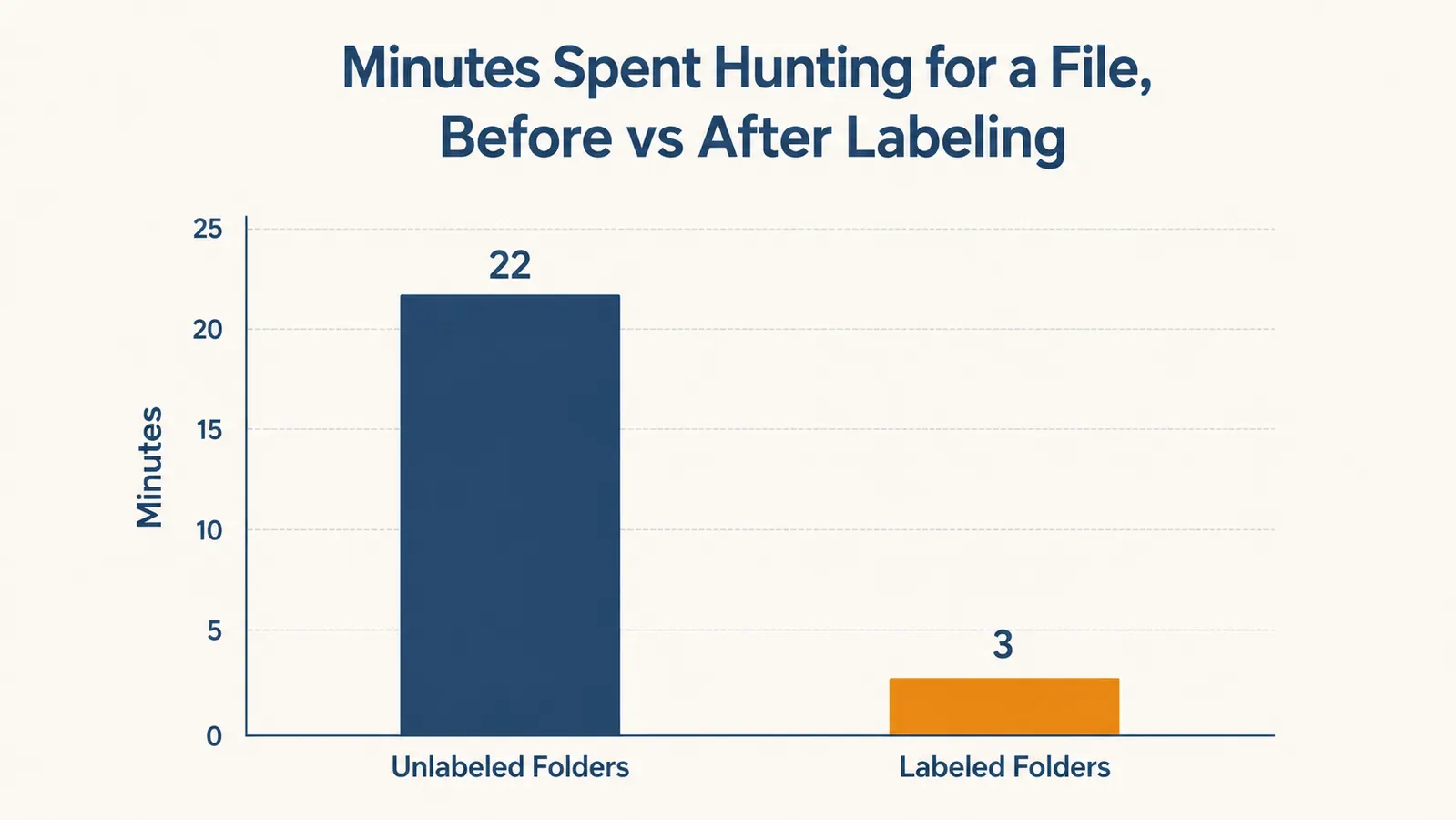
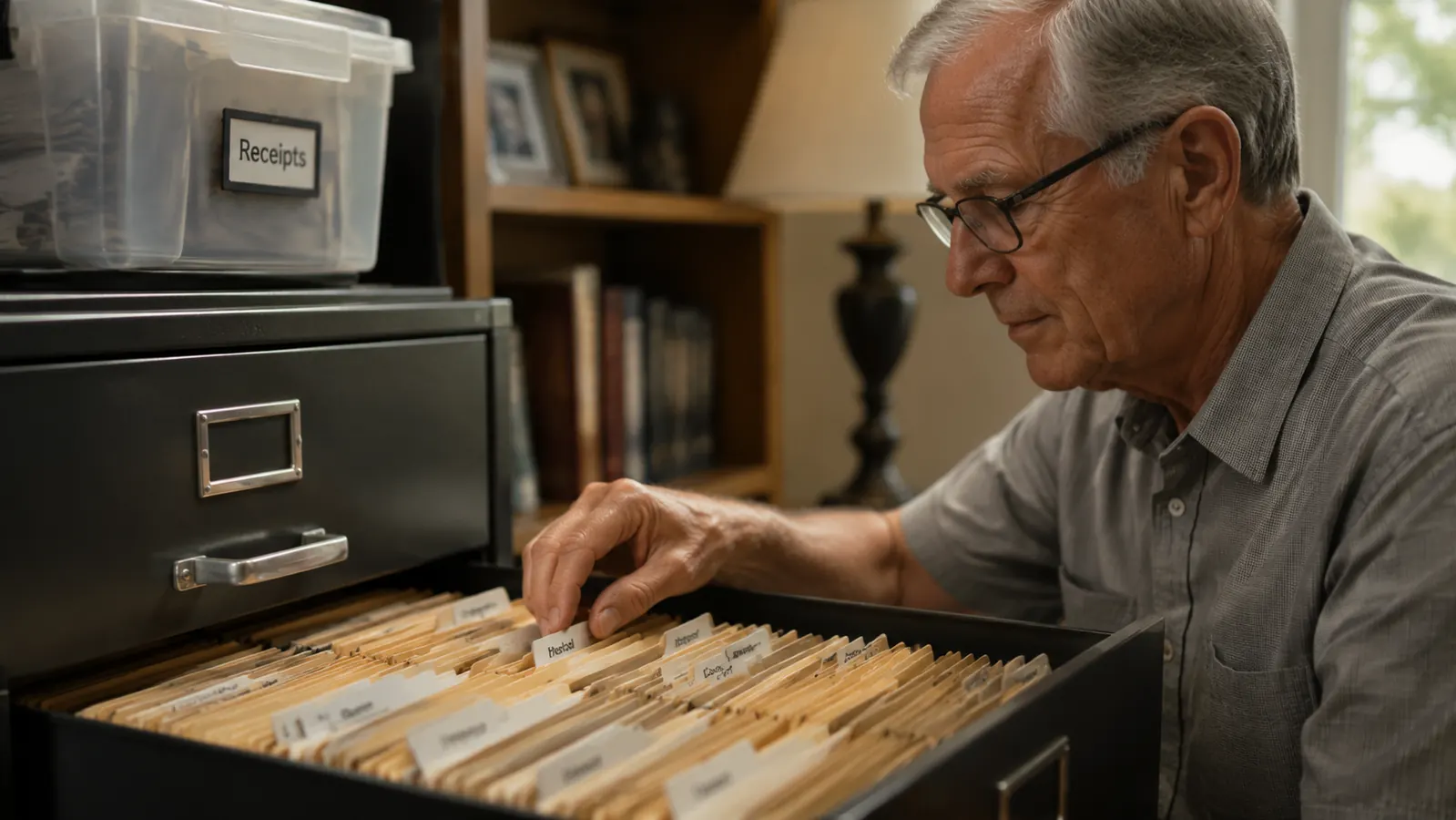
From there it moved to the filing cabinet, one folder at a time over about two weekends, then to the pantry off my office hallway, then to a set of storage bins in the garage holding old classroom supplies I still hadn't decided whether to donate. That's the honest use pattern. It's not one glorious afternoon of organizing your whole life. It's small five minute sessions scattered across a year, usually triggered by frustration at not being able to find something.
The project that actually sold my daughter on buying her own DYMO was the spice jar shelf in my kitchen, not anything in the office at all. My grandkids stay with us most Thursdays after school, and my youngest granddaughter loves helping in the kitchen, but she couldn't read my old handwritten spice labels from across the counter. I relabeled the whole shelf with the DYMO in about twenty minutes, big clear print on every jar, and now she pulls cinnamon and paprika without asking me twice. That's the kind of small, unglamorous win this machine is actually good for.
I keep the DYMO machine in my top desk drawer rather than out on the desk itself. It's small enough to tuck away, and honestly I don't use it often enough to justify desk real estate. That's worth knowing going in. This isn't a device you'll touch daily like a stapler. It's more like a tool you pull out every week or two, use for a few minutes, then put away.
The Tape Cost Nobody Mentions in the Five Star Reviews
Here's the part that surprised me most. The LetraTag doesn't use the same tape as DYMO's other label makers. It takes its own smaller plastic cartridges, and while the machine ships with three of them, you'll go through those faster than you'd think if you're doing any real organizing project. A replacement cartridge isn't expensive on its own, but when I did a big filing push my first month, I burned through all three starter cartridges and had to order more before I finished the job.
Nobody puts that in a glowing review. They show you the happy result, a drawer full of perfectly labeled folders, without mentioning that a serious labeling weekend might mean a mid project supply run. I've since learned to keep a couple of spare tape cartridges in my desk drawer so I'm never caught mid project without one, the same way I'd keep spare staples.
I also learned the hard way that the tape comes in a few different colors and widths, and if you order the wrong width for your machine it simply won't fit. Double check the cartridge size before you order extras. It sounds obvious written down, but I ordered the wrong size once during my first month with the DYMO and had to return it.
Once I knew which cartridge size to buy, reordering became simple enough, and I now just keep two spares in the drawer at all times. Still, if you're budgeting for this purchase, don't stop at the sticker price of the machine itself. Factor in that you'll be buying tape again within the first year if you use it with any regularity, the same way you'd budget for printer ink rather than assuming the printer itself is the only cost.
The Keyboard Layout the Product Photos Don't Warn You About
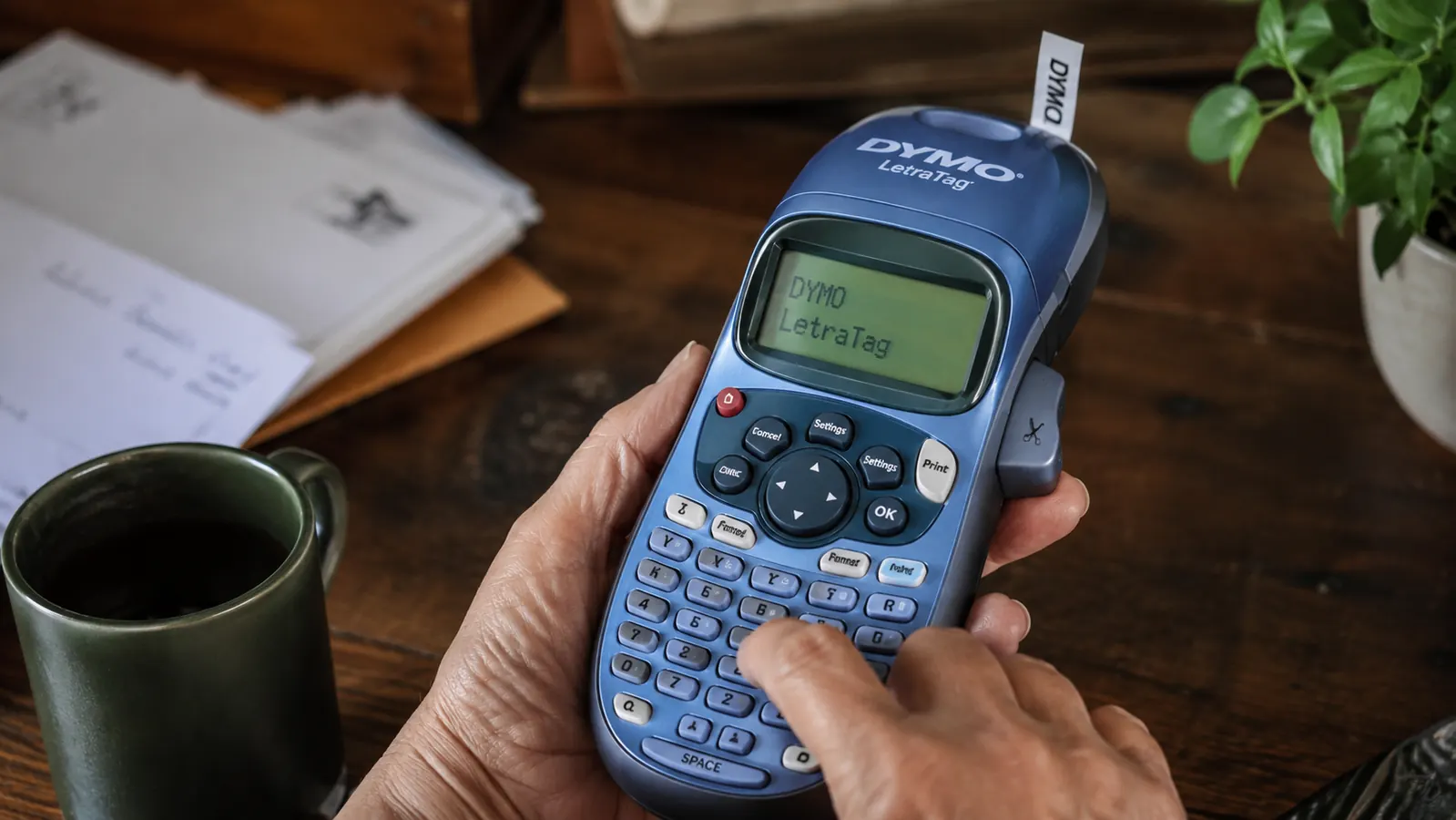
This is the one thing I wish someone had told me before I bought it. The LetraTag's keyboard isn't arranged QWERTY style like a computer keyboard or a phone. The letters run in alphabetical order across the little rubber keys instead. If you've typed on a keyboard for thirty years the way I have, your fingers want to go to the spot where the letter usually sits, and it isn't there.
It took me a solid two weeks of occasional use before I stopped hunting for each letter one at a time. Now, a year later, I barely notice it, but I remember being genuinely annoyed the first few times I sat down to make a batch of labels and it took three times longer than it should have because I kept misspelling simple words like FOLDER and TAXES.
The screen is also small, a single line of text, so you can't preview a long label the way you might expect from something with a digital display. For short labels like FILES or CORDS this is a non issue. For longer custom text, you're typing somewhat blind until you print it and see the result. I've reprinted a handful of labels over the year because I mistyped something I couldn't fully see on the little screen before committing.
If it helps to compare it to something, typing on the DYMO felt a bit like the first week I got a flip phone with a numeric keypad back before smartphones, hunting and pecking until my thumb learned the pattern. My husband Gary, who never learned to type properly on a full keyboard to begin with, actually picked up the alphabetical layout faster than I did. So your mileage may vary depending on how attached your fingers already are to a standard keyboard.
What a Full Year of Daily Life With It Actually Looks Like
The battery situation deserves an honest mention too. Mine runs on four AA batteries, no rechargeable option, no cord to plug in while you work. For occasional use like mine, that's fine. I replace batteries maybe twice a year. But if you were planning to hand this to a small business team doing labeling all day, that battery would drain faster than you'd want, and there's no way to keep it charging while you print.
The DYMO also isn't connected to any app on my phone. I assumed, wrongly, that I'd be able to design a label on my phone and send it over the way you can with some newer label printers. This one is entirely standalone. You type directly on the device's own keyboard, see it on the small screen, and print. For my purposes that's actually been fine, since most of what I label is short and simple, but if you were picturing something more like a mini computer, adjust your expectations.
What has genuinely held up well is the print quality itself. A year of labels stuck to file folders, plastic bins, and glass spice jars in my kitchen, and I haven't had one fade or peel off on its own. The adhesive is stronger than I expected, strong enough that pulling an old label off a folder sometimes takes a bit of a fingernail and a little patience, which tells me it isn't going anywhere once it's stuck.
I've also dropped the machine itself twice, once off the edge of my desk onto a hardwood floor and once out of a tote bag I was carrying between the house and the garage. Both times it kept working without so much as a loose battery cover. That's not something I expected from something this light and plasticky feeling in the hand, and it's one of the quieter reasons I'd still recommend the DYMO after a year of it living in my drawer, getting knocked around with pens and paperclips.
Where It Struggles
I'll be direct about the two spots where this machine falls short of the hype. First, curved or textured surfaces. I tried labeling a round wicker basket in my office closet, and the label wouldn't sit flat against the woven texture. It peeled at the edges within a week. This DYMO is built for flat, smooth surfaces like folders, bins, and boxes, not textured baskets or fabric.
Second, if you need to print a lot of labels quickly, the single line typing and alphabetical keyboard slow you down compared to designing a batch on a computer and printing from software. For my weekly five minute sessions this has never bothered me, but if you were labeling forty items in one sitting for a move or a big office overhaul, expect that to take longer than it would with a computer connected label printer.
There's a smaller third gripe worth mentioning too. The DYMO doesn't auto cut the tape to a clean edge the way some pricier label makers do. You press a button, a small cutter blade lets you trim the label yourself, and my first few attempts came out slightly crooked until I got the hang of a steady, even pull. It's a minor thing, but if you were expecting a perfectly guillotined edge every single time straight out of the machine, that's not quite what you get.
The Alternative I Considered First
Before I settled on the DYMO, I almost bought a plain marker and a roll of masking tape, which is honestly what I'd used in my classroom for fifteen years. It's free if you already own a marker, and it works. But my handwriting has gotten shakier since a wrist injury a few years back, and my labels were coming out crooked and hard to read across the room. That was really the whole reason I looked at a label maker at all.
I also looked briefly at a more expensive DYMO model with a full QWERTY keyboard and phone app connectivity before landing on the LetraTag. For my needs, mostly filing and light home organizing, that felt like paying extra for features I wouldn't use often enough to justify. If you're running a small office with a team, the pricier connected model might make more sense. For a one person home office, this simpler DYMO has been enough.
What I Liked
- Print quality and adhesive have held up a full year without fading or peeling
- Fast for short labels once you're past the learning curve, about ten seconds per label
- Small enough to store in a drawer, doesn't demand desk space
- Reliable on flat surfaces like folders, bins, and jars
- Comes with three tape cartridges to start
Where It Falls Short
- Alphabetical keyboard layout takes real adjustment if you're used to QWERTY
- Proprietary tape cartridges run out faster than expected on bigger projects
- No phone app or computer connection, everything is typed on the small device screen
- Struggles on curved or textured surfaces like baskets
- Single line display means longer labels are typed somewhat blind
Nobody puts the tape cost or the odd keyboard in their five star review. A year in, I still think it's worth having, I just wish someone had told me the honest version before I bought mine.
Who This Is For
If you're setting up a home office from scratch, sorting a filing cabinet, or trying to make sense of a drawer full of tangled cords, this DYMO does exactly what you need without a learning curve steep enough to matter after the first couple weeks. It's also a genuinely good fit if, like me, handwriting has become less reliable and you want labels you can actually read from across the room.
It's also a solid fit for anyone easing into working from home later in life, the way I did after retirement. There's something quietly satisfying about a labeled drawer or a clearly marked file when you're building a new routine from scratch, and this DYMO gets you there without demanding you learn new software or connect anything to your phone.
Who Should Skip It
If you're labeling for a whole small office team, printing dozens of labels in one sitting regularly, or you specifically want to design labels on your phone or computer before printing, look at one of DYMO's larger connected models instead. This handheld one is built for occasional, personal use, not high volume production.
Ready to Stop Squinting at Handwritten Labels?
A year of daily use later, the DYMO LetraTag still earns its spot in my desk drawer. Check today's price on Amazon and see if it fits your home office the way it fit mine.
Amazon Check Today's Price on Amazon →