

Six weeks after my knee replacement, my doctor was clear about one thing: stay off it, keep it elevated, and do not sit hunched over a desk chair for long stretches. What she didn't have an answer for was how I was supposed to keep working my part-time customer service shifts from bed without turning my neck and lower back into a second problem. My first attempt was a couch pillow flattened under my laptop. It slid off my knees every time I shifted, overheated against the blanket within twenty minutes, and left me hunched forward at an angle that had my neck aching by lunchtime.
If you're propping a laptop on pillows, a cutting board, or a stack of books right now, you already know none of it actually works for more than a few minutes. This guide walks through exactly how I set up a proper lap desk so that working from bed stopped being something I white-knuckled through and started being something I could genuinely sit through a full shift with. It's five steps, and none of them require any special skill, just doing them in the right order.
Stop bracing your laptop with a pillow that keeps sliding
The lap desk that solved this for me is the SAIJI Laptop Bed Desk Table. It has folding legs that lock at an angle, a raised edge so the laptop can't slide off, and a small drawer underneath for a mouse or notepad. It's the one piece of equipment that actually made working from bed sustainable for me.
Amazon Check Today's Price on Amazon →Step 1: Measure your laptop and your bed before you buy anything
Before you pick a lap desk, measure your laptop's width and depth, and be honest about your bed setup. I have a 15-inch laptop plus a small notepad I like to keep next to it, so I needed a surface with a bit of room to spare on either side, not one sized to the exact inch of my screen. The SAIJI lap desk is built to fit up to a 17-inch laptop, which meant mine sat comfortably in the middle with an inch or two of breathing room, plenty of space for a mug or a phone off to the side without crowding the keyboard.
Also think about how you actually sit in bed. I prop myself up against two firm pillows and sit closer to upright than reclined, which meant I needed a desk with legs tall enough to clear my thighs without the surface tilting toward my chest. If you tend to recline lower, you'll want a desk with more adjustment range in the leg height so it can meet you where you actually sit, not where a stock photo shows someone sitting.
I also checked the SAIJI desk against my mattress height, since a taller bed changes how far your legs bend when the desk sits across them. Mine is a standard queen with a fairly thick mattress, and the desk's legs had enough range that I didn't need to prop anything extra underneath. If you sleep on a low platform bed or a daybed, it's worth measuring the gap between your bent knees and your chest before you order anything, so you're not stuck returning it because the legs are too short or too tall for how you actually sit.
Step 2: Set the leg angle and height before you get into bed
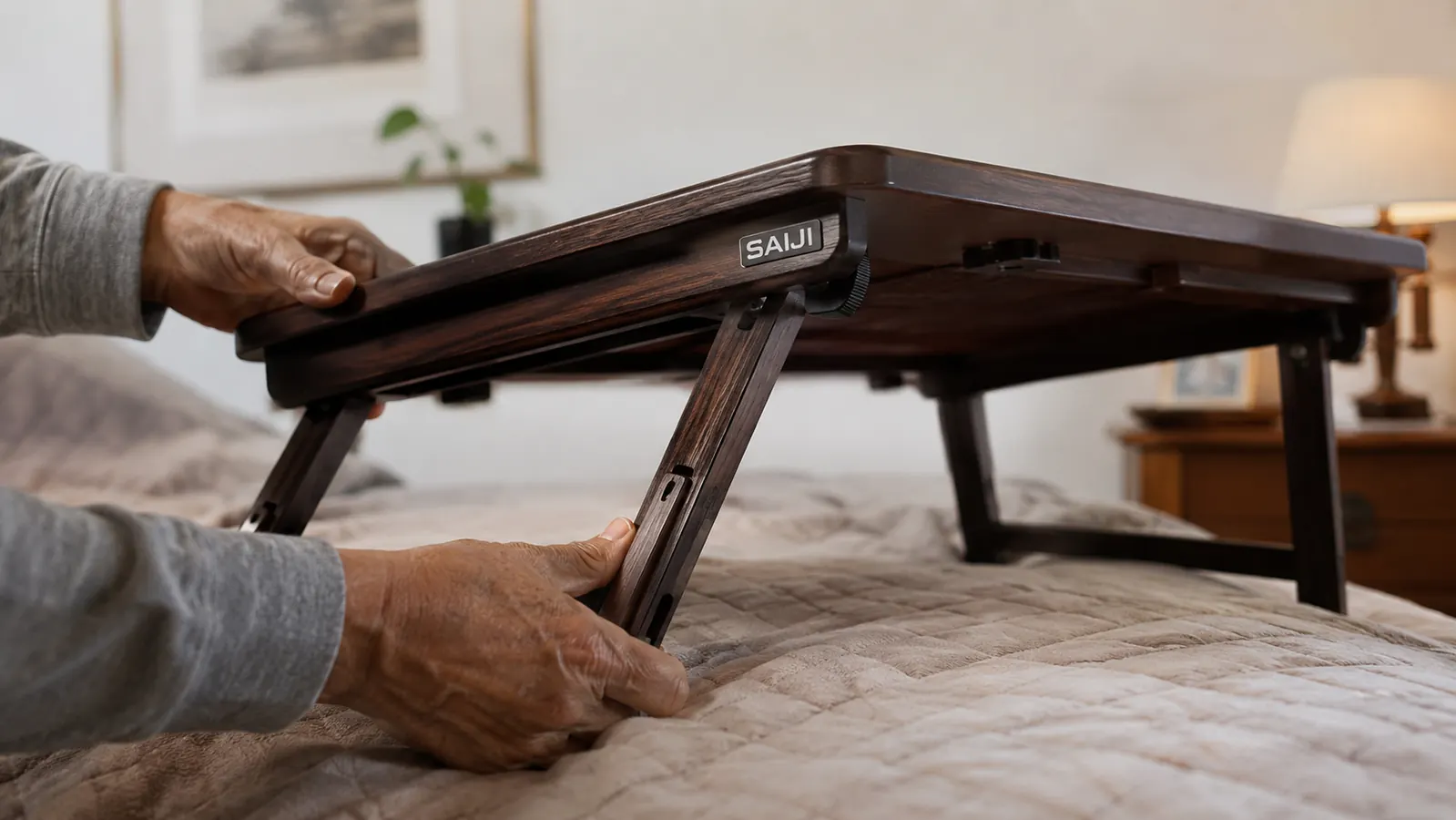
This is the step I skipped the first time and immediately regretted. I climbed into bed, set the lap desk down, and only then tried to figure out the angle, which meant fumbling with folding legs while balancing a laptop, not a great combination when your knee is elevated on a pillow and you can't easily lean forward.
Now I set the SAIJI lap desk up on the mattress before I get settled. The legs fold out and lock into a few different angle positions, and I've found the middle setting works best for typing, angled just enough that the keyboard sits slightly downhill toward me, which keeps my wrists closer to neutral instead of bent upward. If I'm mostly reading or watching a training video for work rather than typing, I'll flatten it out more since I don't need the same wrist position for that.
Get the angle right before you're committed to the position, because readjusting a lap desk after you've settled in with pillows arranged around your knee is a lot more effort than it sounds like, and you'll be tempted to just leave it wrong rather than start over.
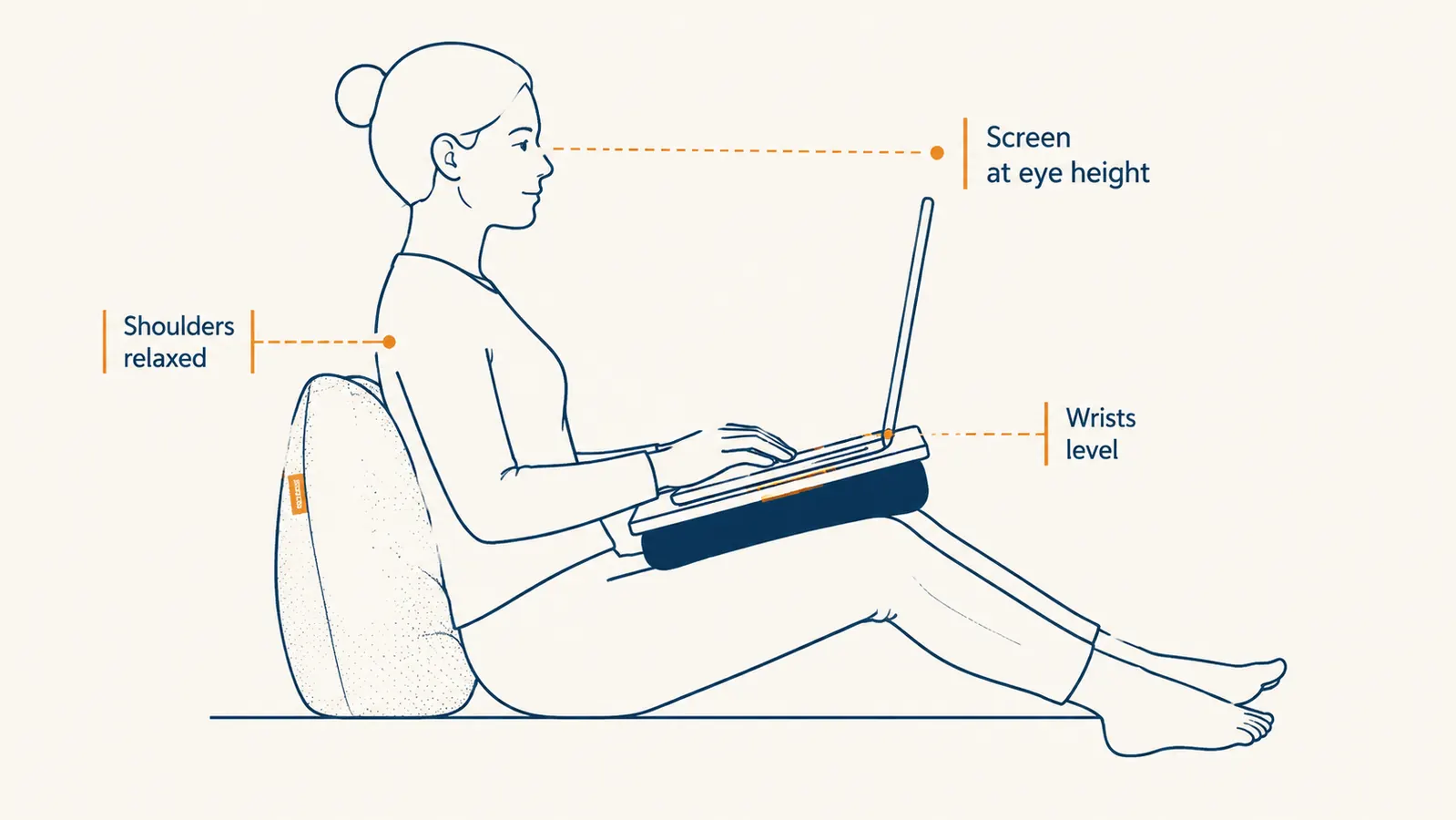
It helps to test the angle sitting on the edge of the bed first, before you're fully reclined with pillows behind you. I sit on the side of the mattress, set the desk on my lap, run through the leg positions, and settle on whichever one keeps the screen roughly at eye level without tilting my chin down. Only once that's set do I actually move into position against the pillows. It takes an extra thirty seconds and saves the whole business of re-angling a laptop mid-shift.
Step 3: Build a stable base underneath it with pillows
A lap desk is only as stable as what's underneath it, and a soft mattress alone isn't quite enough. I keep one firm pillow across my lap, under the desk's legs, so the legs have something solid to press into rather than sinking unevenly into the comforter. Without that firm pillow, I noticed the desk would tilt slightly to one side over time as one leg sank deeper into the mattress than the other.
Behind my back, I use two pillows stacked so I'm sitting close to upright rather than reclined. This matters more than people expect. When I tried working reclined at a 45-degree angle, the lap desk's angle no longer matched my line of sight to the screen, and I ended up craning my neck downward the whole time. Sitting more upright, closer to how you'd sit in a desk chair, keeps the lap desk's built-in angle actually working the way it's designed to.
One more small thing that made a real difference: I keep a thin pillow under my elevated knee, separate from the one supporting the lap desk. Trying to make one pillow do both jobs meant neither job got done well, my knee wasn't properly elevated and the desk wasn't stable.
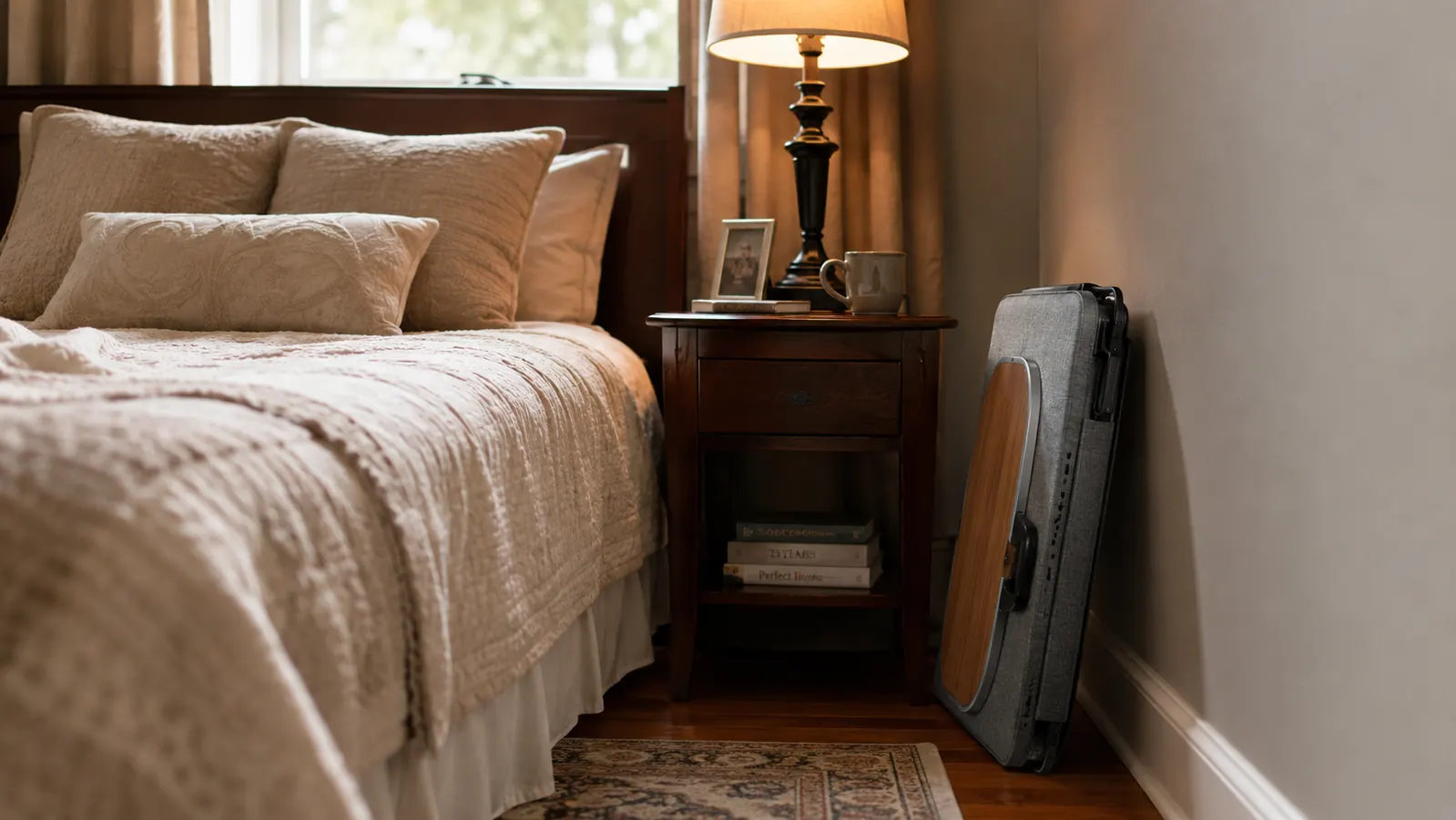
The same setup works on the couch, which is where I've moved the SAIJI desk on days I need a change of scenery from the bedroom. A firm couch cushion under the legs does the same job the pillow does in bed, and the arm of the couch gives me something to lean against instead of a headboard. If you're bouncing between bed and couch depending on the day, it's worth confirming your lap desk folds flat enough to carry from room to room without needing to be reassembled each time, which the SAIJI one does in about two seconds.
Step 4: Organize your cords, mouse, and notes in the drawer
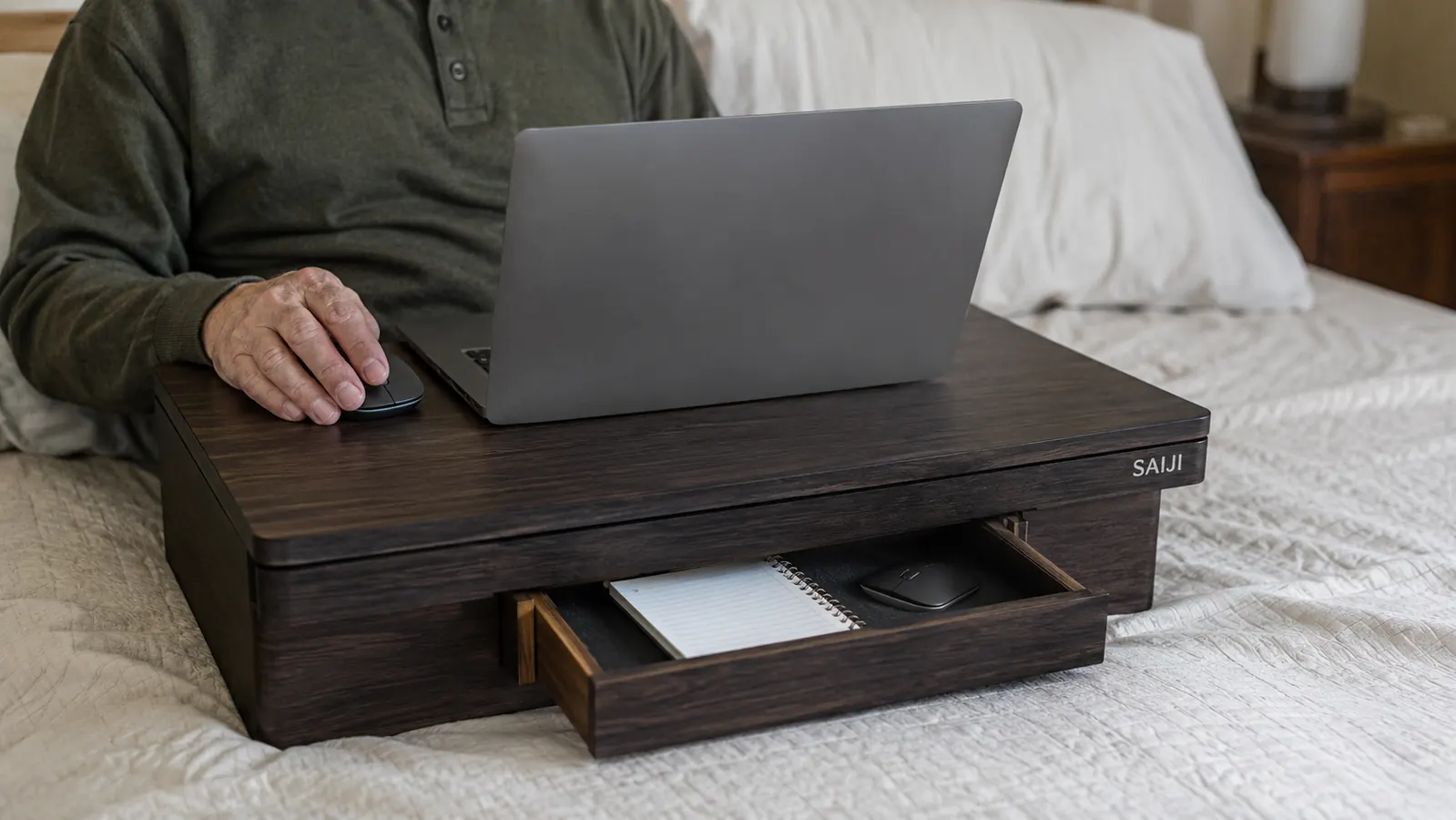
One thing I didn't expect to matter as much as it does is where your mouse and charging cord live while you're working. Before I had a lap desk with storage, my mouse would slide off the mattress every few minutes and my charging cord would tangle in the blanket, and I'd spend half my focus just managing loose items instead of working.
The SAIJI lap desk has a shallow drawer built into the front edge, and I use it to hold my wireless mouse, a small notepad, and a pen, so none of it is loose on the bed. When I'm done for the day, everything slides back into the drawer and I fold the legs flat, so I'm not hunting for a mouse under the covers the next morning. It's a small feature, but it's the difference between a setup that stays organized and one that slowly migrates across the whole bed by the end of the week.
If you use a mouse pad, a thin one works better here than a thick gaming pad, since the drawer and the desk surface have a defined lip. I keep a slim fabric pad folded in the drawer alongside the mouse itself, and it takes about five seconds to pull out and set down each morning.
For the charging cord, I route it off the side edge of the desk rather than straight down the middle, so it doesn't end up pinned under my forearm while I type. A short cord clip stuck to the underside of the desk keeps a couple inches of slack from dangling onto the mattress, which matters more than it sounds like once you've had a laptop charger tug loose mid-video-call because it caught on a blanket.
Step 5: Set a timer and change position every 30 to 40 minutes
No lap desk, including the SAIJI one I use, fixes the fact that lying or sitting in one position for hours isn't great for anyone, recovering knee or not. What actually helped my neck and lower back wasn't just the desk, it was pairing it with a habit of shifting position regularly. I set a timer for 35 minutes, and when it goes off, I stretch my neck side to side, roll my shoulders, and adjust the pillows behind my back before going back to work.
This sounds like a small thing, but it's the piece that turned a good lap desk into an actually sustainable full-shift setup. The desk removes the physical strain of holding a laptop with no support. The timer removes the strain of staying frozen in one posture for three hours straight. You need both, and skipping the second one is the most common reason people tell me a lap desk 'still didn't fix' their back pain.
On longer shifts, I'll also stand up completely every couple of hours, even if it's just to refill a water glass or walk to the mailbox and back. It's tempting to stay put once you've gotten the pillows and the lap desk arranged just right, but a short break resets your posture in a way that stretching alone in bed doesn't quite manage.
What Else Helps
A lap desk solves the biggest problem, which is having a stable, flat surface that isn't your own legs. But a couple of small additions made the whole setup noticeably better for me. A wireless mouse is worth it even if you normally use a trackpad, since reaching across a laptop's trackpad while propped up in bed puts your shoulder at an awkward angle over time. And if you're working from bed for more than an occasional day, a proper wedge pillow behind your back holds its shape far longer than stacked bed pillows, which tend to flatten and shift within the hour.
Good lighting matters more than I expected too. A window with morning light is great until the afternoon glare hits your screen directly, so I keep a small clip-on reading light nearby for later in the day rather than cranking my laptop's brightness all the way up, which just makes my eyes tired faster. None of this replaces the lap desk itself, but each piece removes one more small annoyance that would otherwise chip away at a session that's supposed to be comfortable.
It's not the laptop that wears you out working from bed. It's everything sliding around underneath it. Fix that one thing and the rest gets a lot easier.
A stable lap desk is the difference between a rough week and a workable one
If you're recovering from surgery, dealing with a flare-up, or just need to work from bed sometimes, the SAIJI Laptop Bed Desk Table is the setup I still use every time I'm stuck there. Adjustable legs, a raised edge so nothing slides, and a drawer that keeps the small stuff from disappearing into the blankets.
Amazon Check Today's Price on Amazon →